In your own language
Reading or listening
in your language
Not Yet is written in English, but you do not have to read it in English. Your web browser can translate every episode into your own language for free, and both Safari and Chrome can also read the pages aloud, in English or once translated. It works on a phone, a tablet or a computer, with nothing to install. The buttons sit in slightly different places on a phone than on a computer, so find your setup below.
On your phone or tablet
iPhone & iPad
Safari
On iPhone the address bar sits at the bottom of the screen. Tap the icon in the address bar to open the menu, then Listen to Page to hear the episode read aloud, or Translate Website… to read it in your own language.
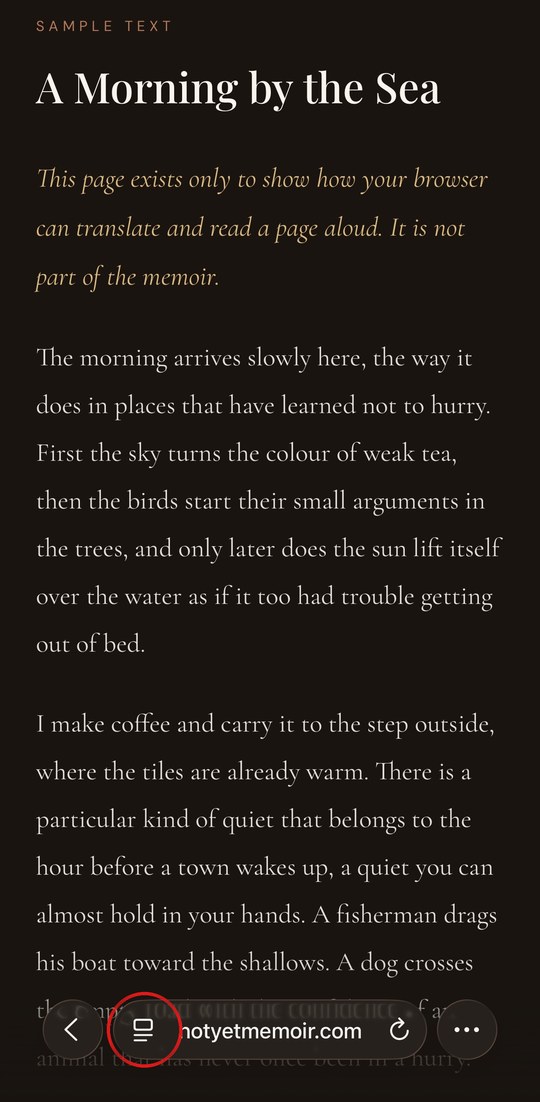
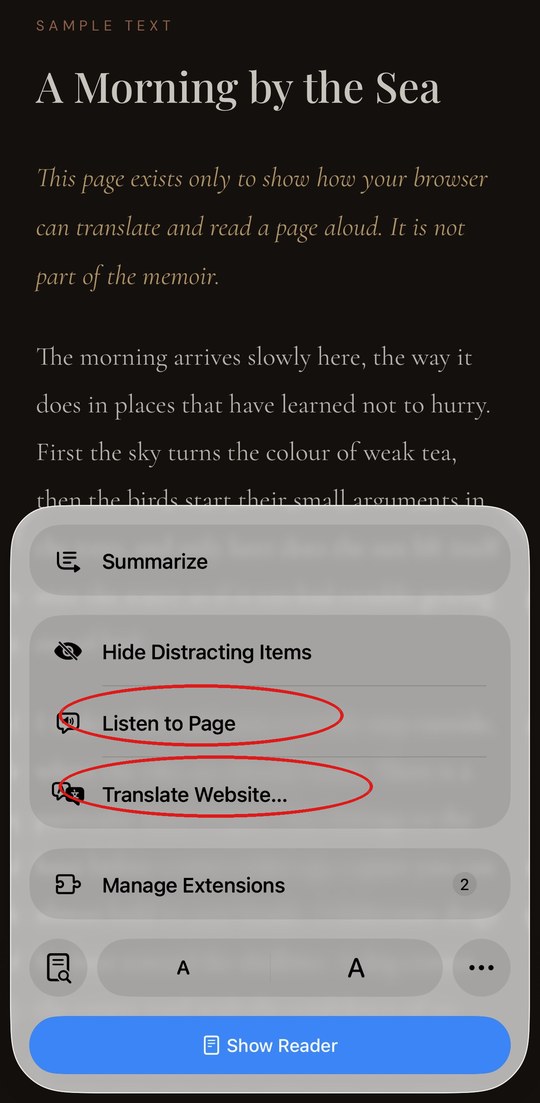
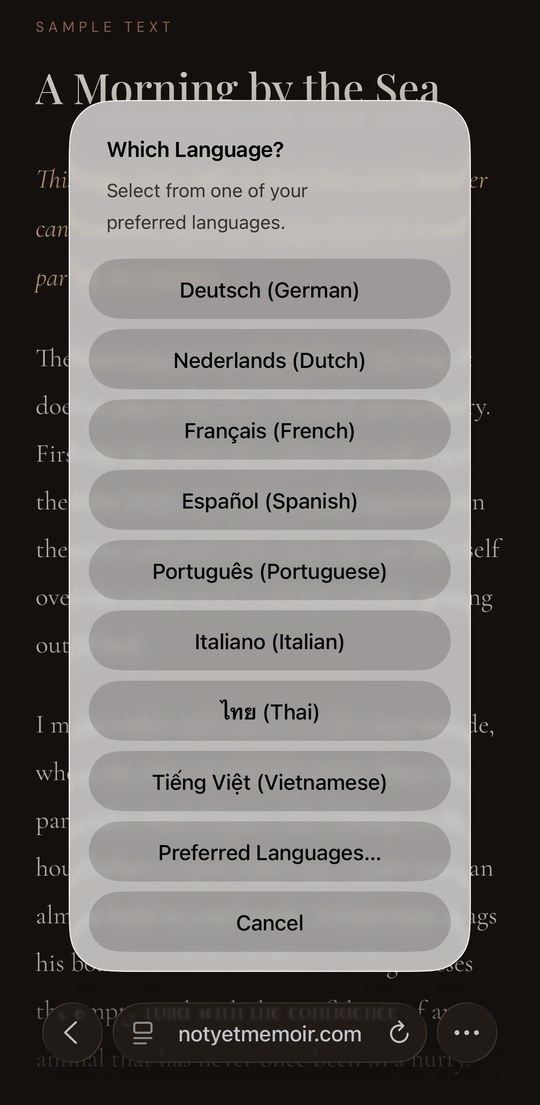
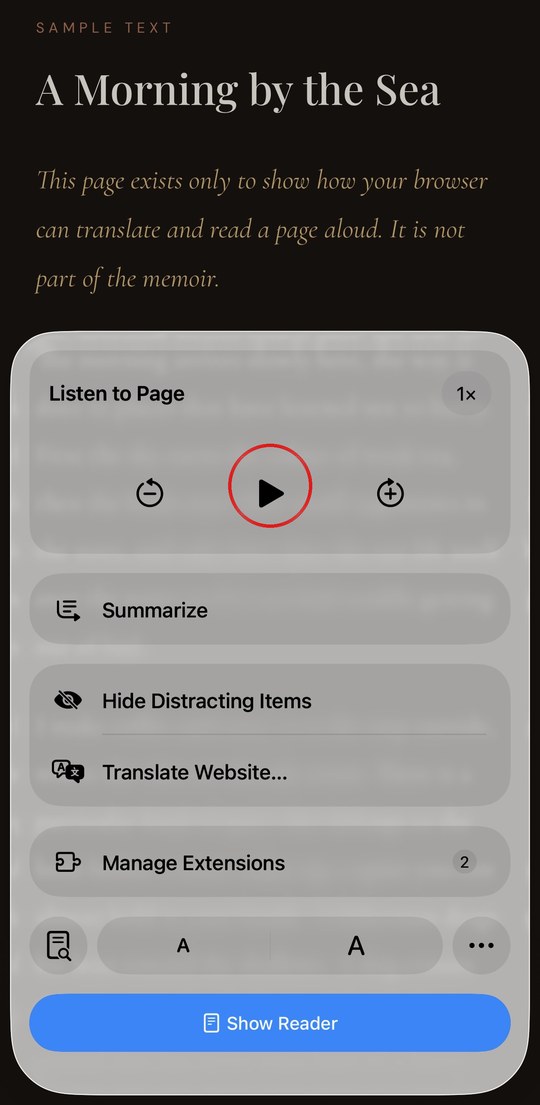
iPhone & Android
Chrome
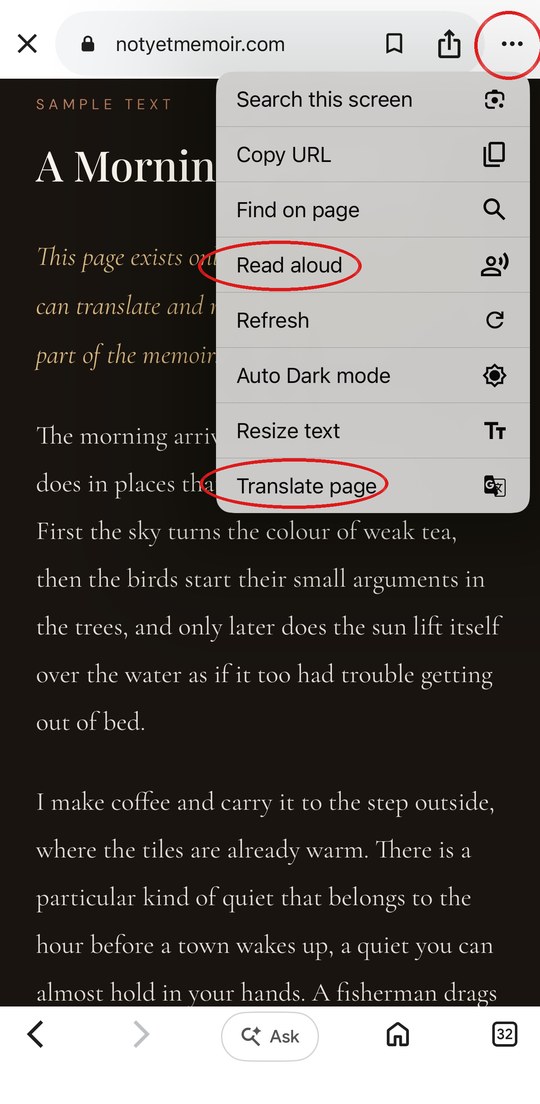
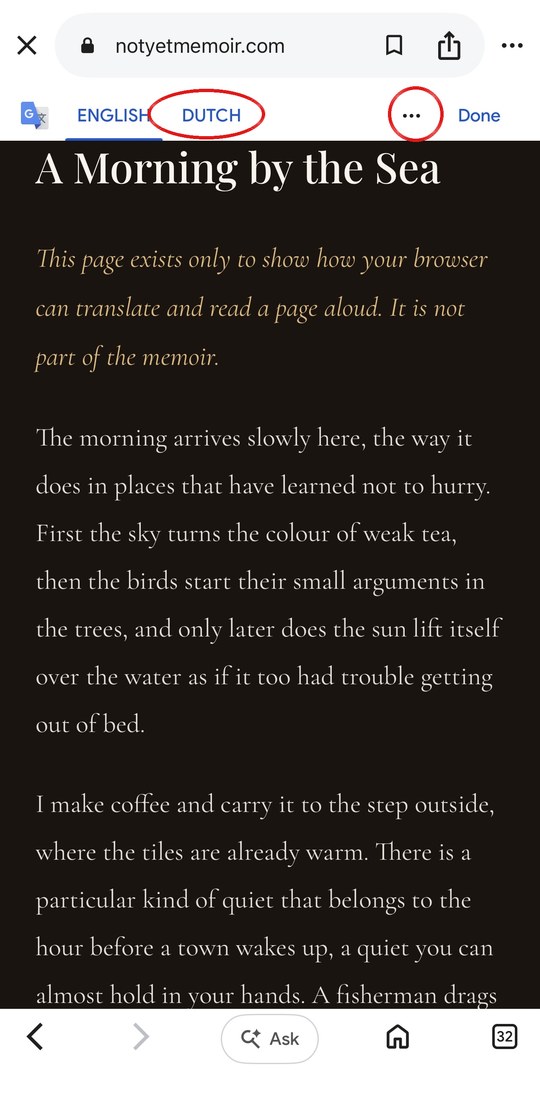
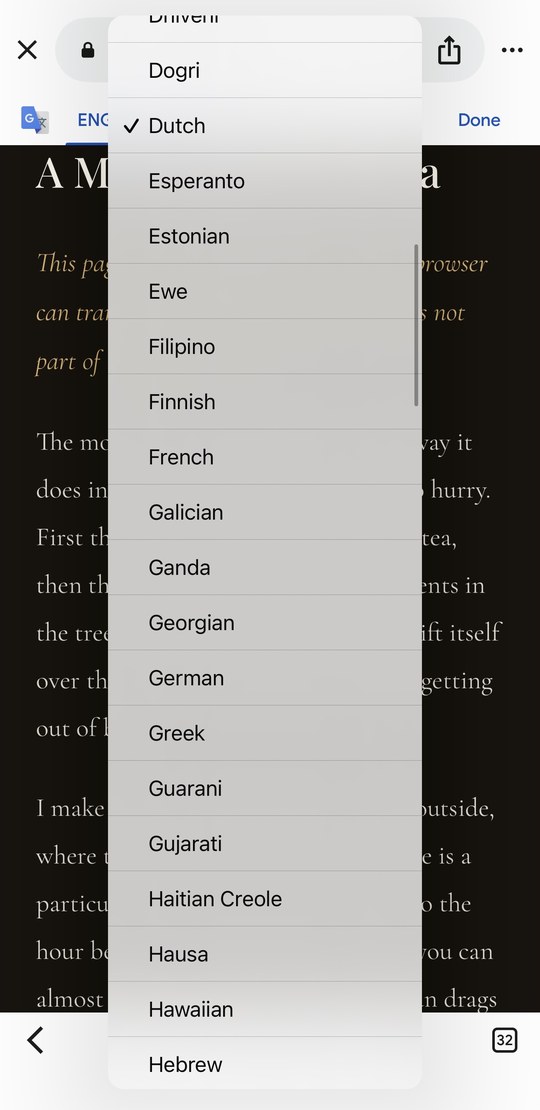
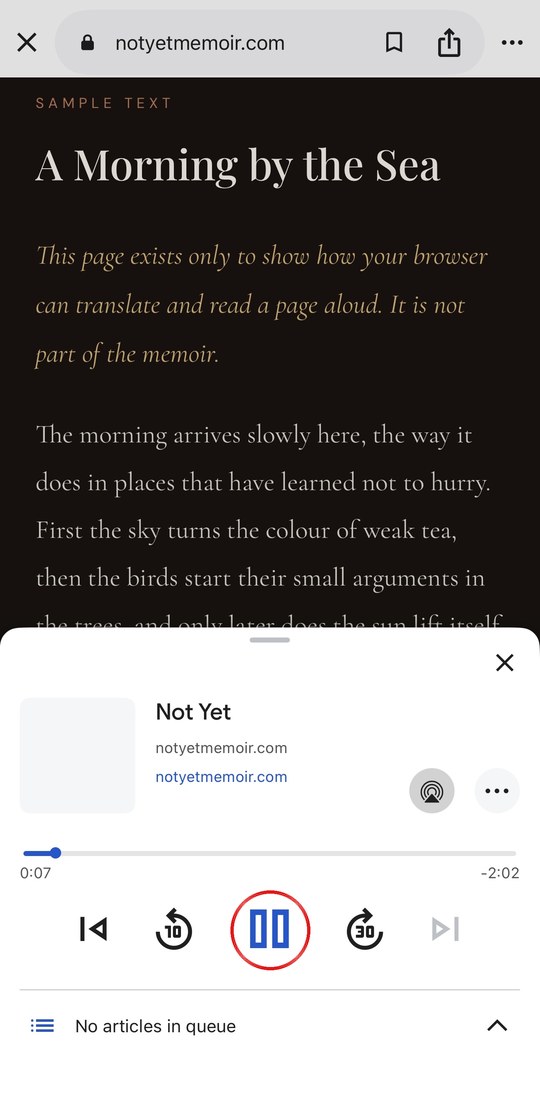
Tap the ⋯ menu (three dots, top right), then Read aloud to hear the episode, or Translate page to read it in your own language.
On a Mac or computer
Mac
Safari
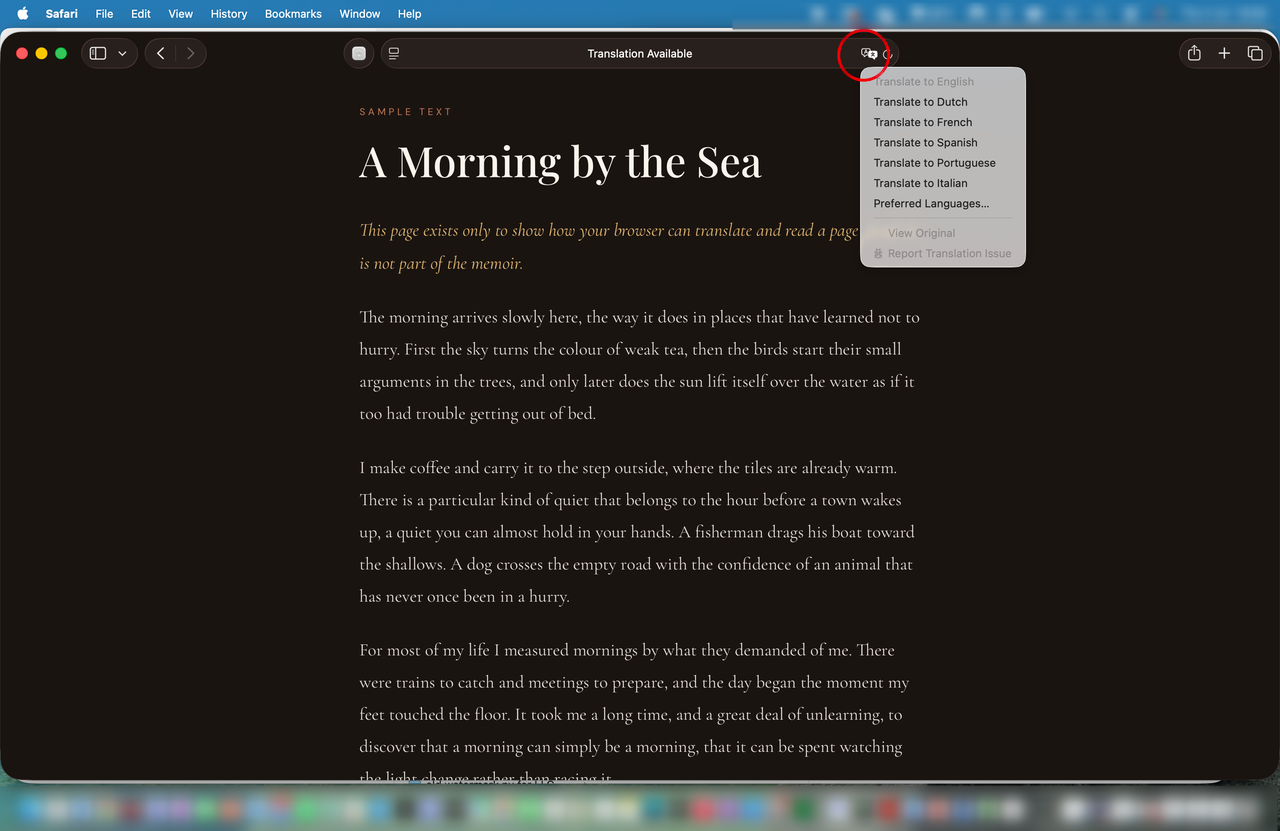
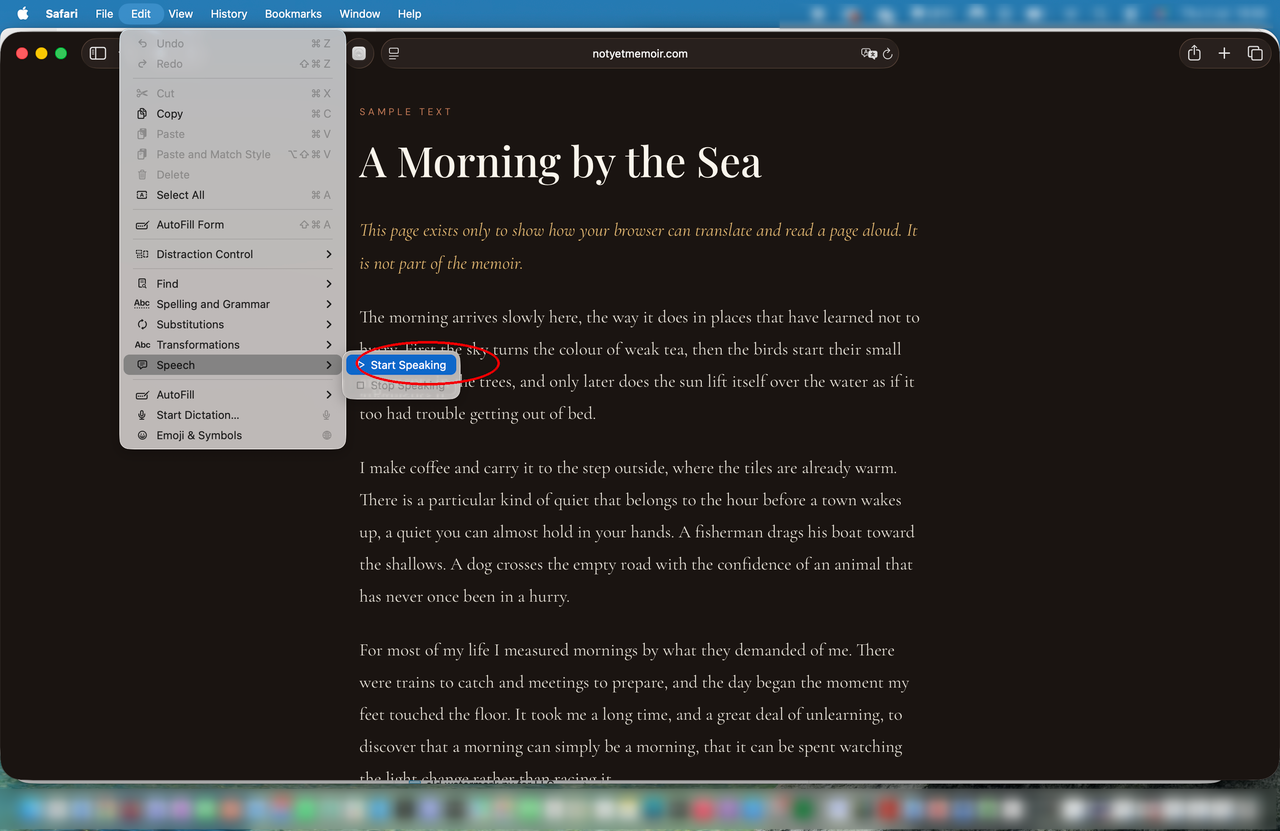
Open an episode in Safari. To read it in your own language, click the translation icon at the right of the address bar. To hear it read aloud, use the menu bar: Edit → Speech → Start Speaking.
Computer
Chrome
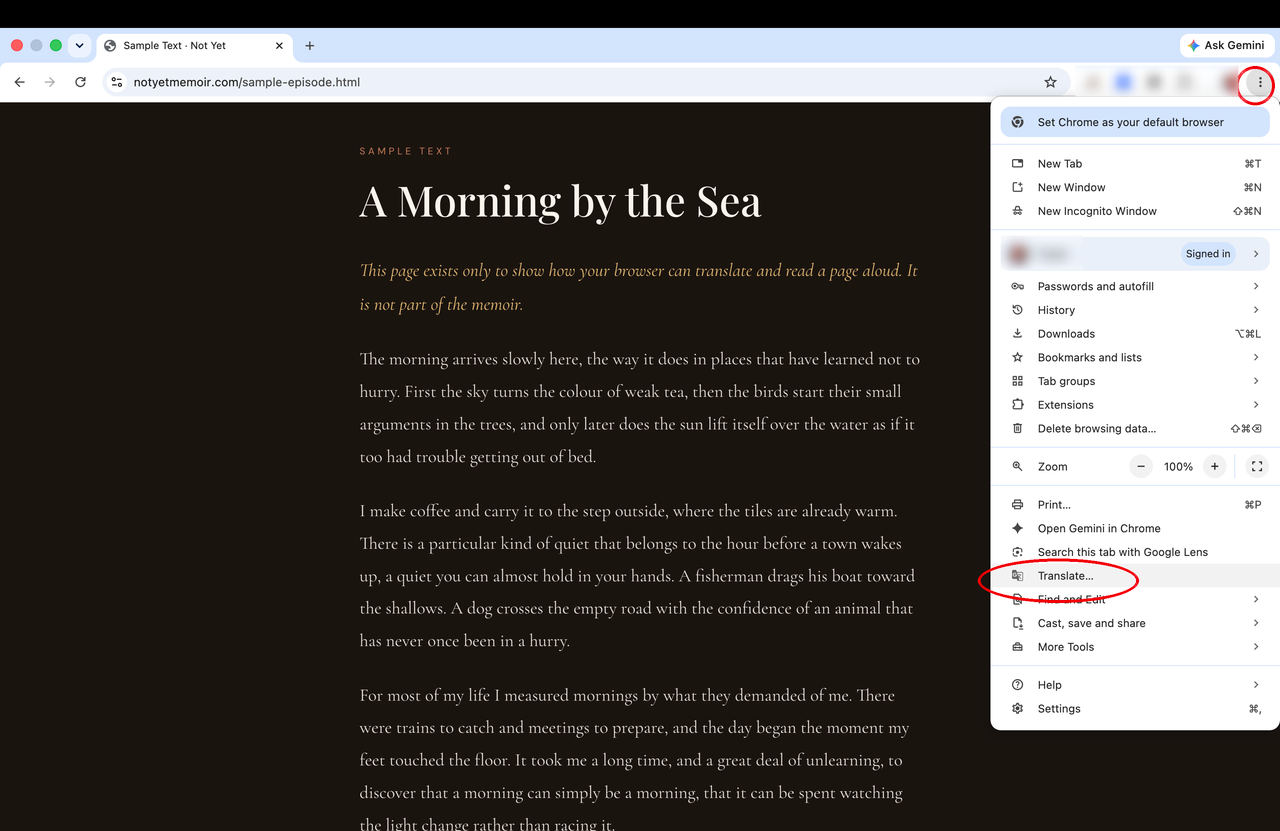
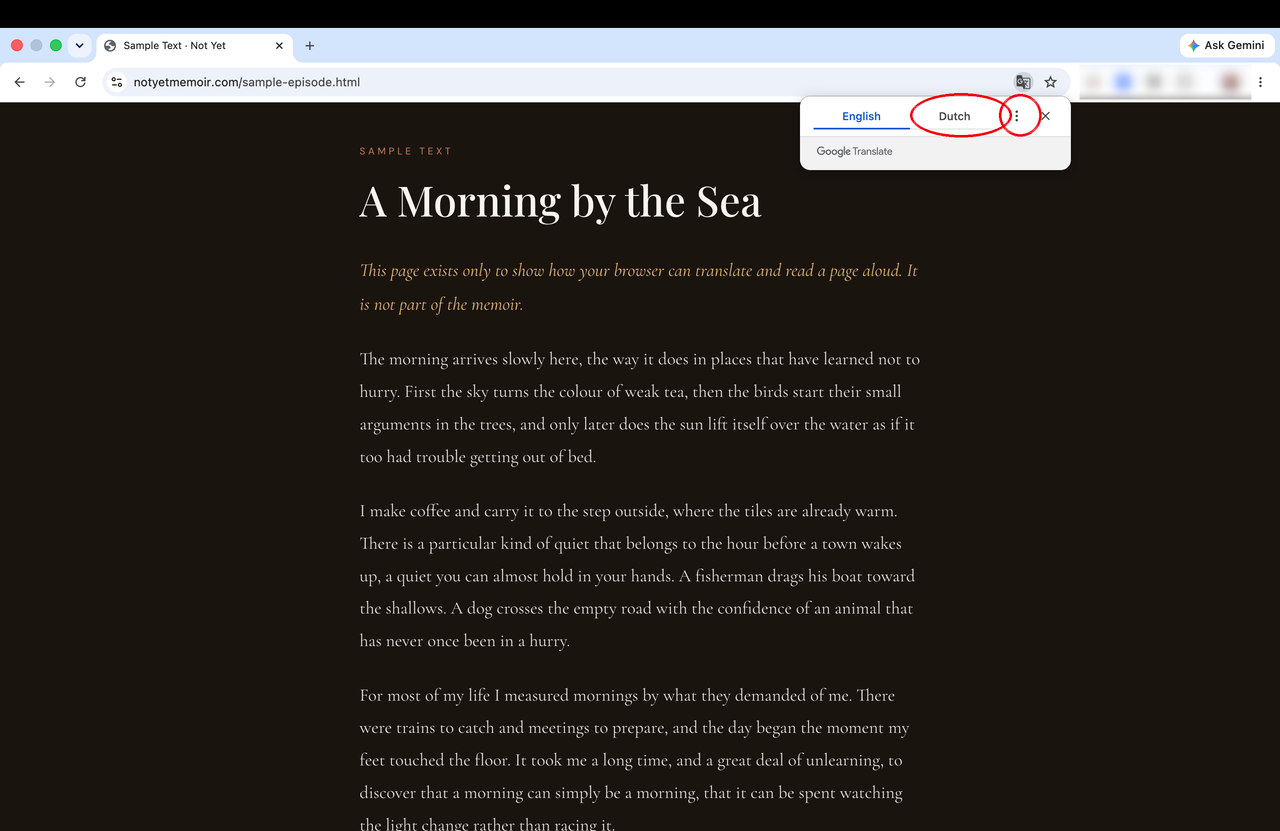
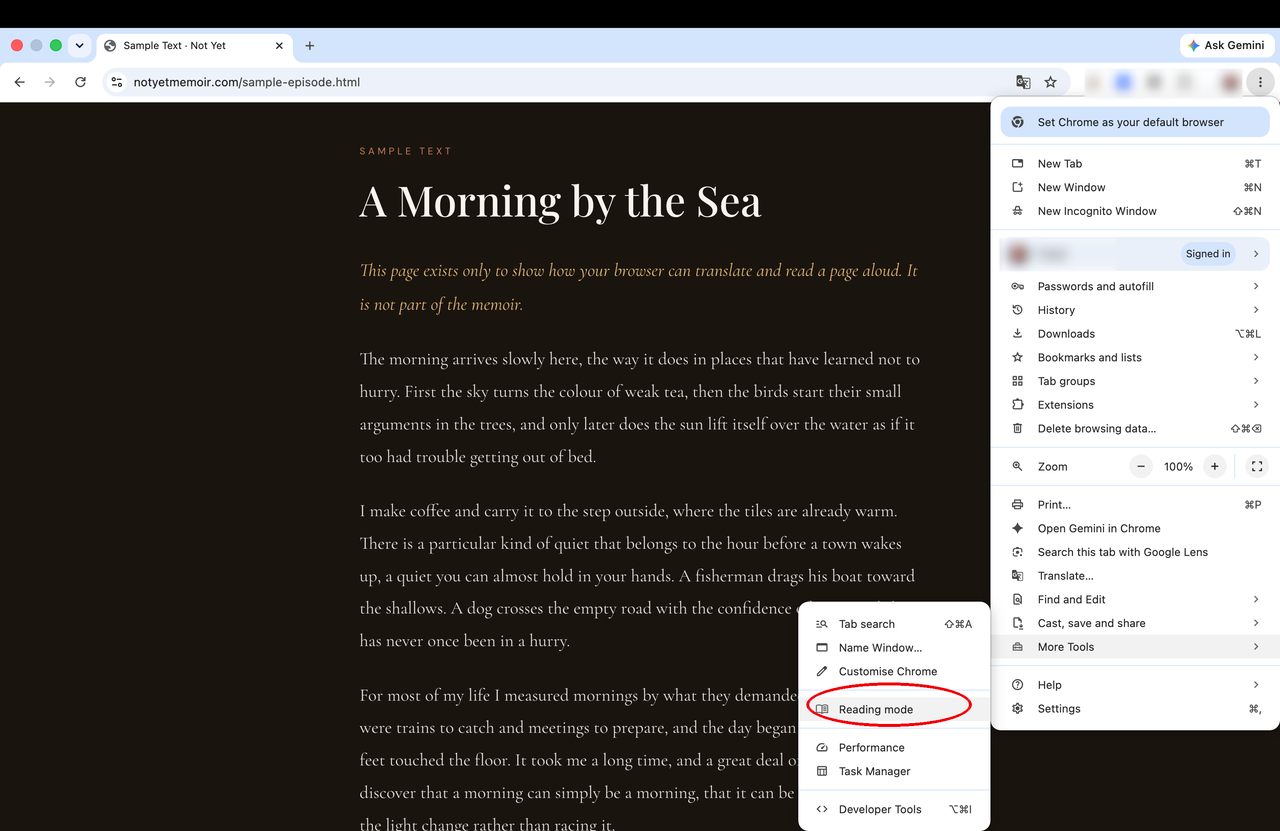
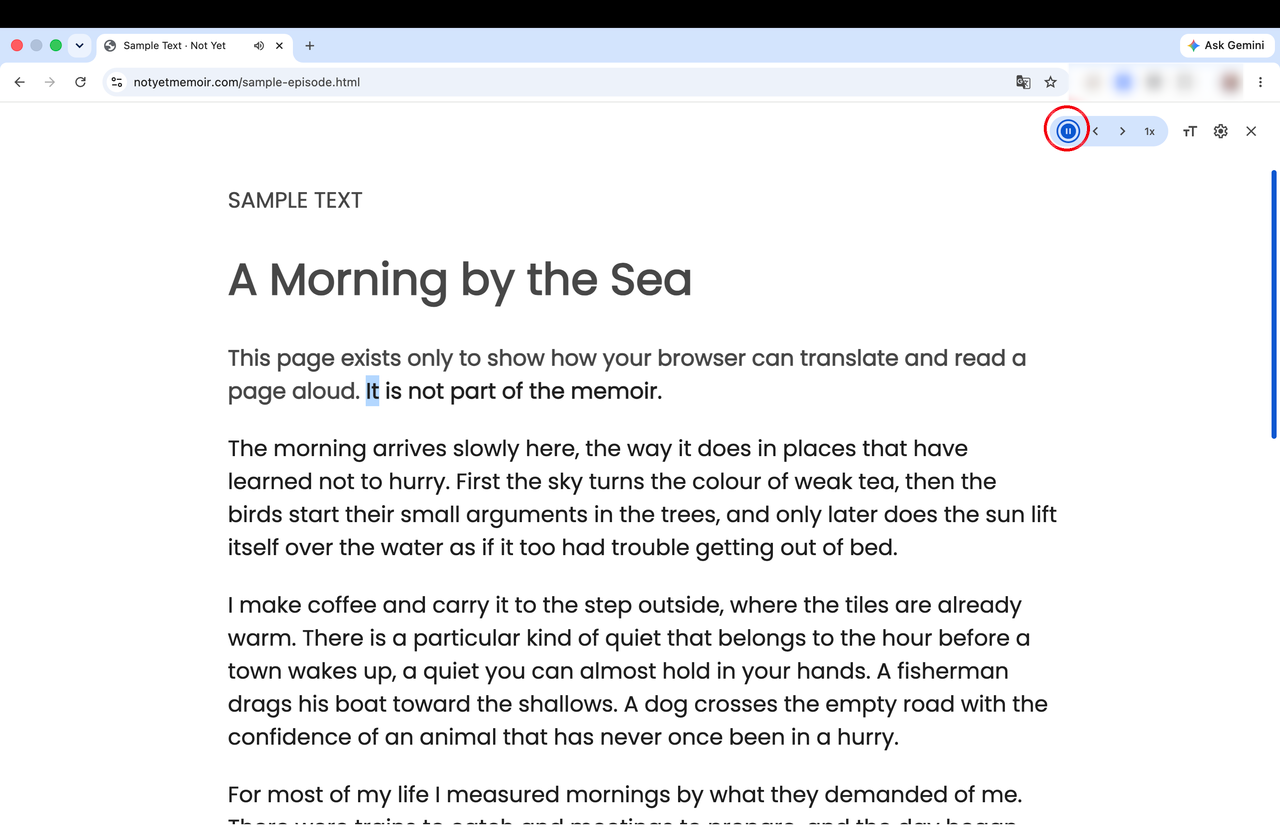
Open an episode in Chrome. To read it in your own language, use the ⋮ menu → Translate. To hear it read aloud, use the ⋮ menu → More Tools → Reading mode, then press play.
Good to know
That is all there is to it. Pour a coffee, press play, and let the road unfold.
Back to Not Yet →